
Download ApowerPDF – PDF editor, PDF creator, document editing, PDF tools, PDF utility, PDF utility tool
Overview
ApowerPDF is a dedicated PDF editing solution tailored for Windows users seeking a reliable and efficient way to manage digital documents. Designed to overcome common limitations in native PDF handling on Windows, this application provides a comprehensive toolkit for modifying, creating, and exporting PDF files with precision. The software addresses the challenges faced by users who require more than basic viewing capabilities—offering advanced editing, formatting, and collaboration tools in a single interface. It serves a wide range of users, including professionals, students, and individuals managing personal or work-related documents that demand accuracy and clarity.
ApowerPDF enables users to import existing PDFs with minimal effort, begin editing immediately, and produce high-quality outputs suitable for professional sharing. Whether the goal is to merge multiple files, adjust page layouts, add annotations, or insert digital signatures, the application streamlines these processes through an intuitive workflow. Its ability to create new documents from scratch makes it a versatile tool for designing custom PDFs tailored to specific requirements. The software’s focus on usability and functionality positions it as a valuable asset in the digital productivity ecosystem, particularly for users who rely heavily on PDFs in daily workflows.
The developer, ApowerSoft, has positioned ApowerPDF as a utility-driven tool aimed at enhancing document management on Windows platforms. Although the developer’s broader background was not detailed, the application’s consistent feature set and targeted functionality suggest a focused development approach. The release date of April 9, 2022, indicates that it is a mature product with established functionality, having undergone updates and refinements since launch. This stability contributes to its reliability for users seeking dependable PDF management without the complexity of enterprise-grade software.
Key Features & Functionality
- Easy PDF Import: Users can open and load PDF files quickly without technical barriers. This feature eliminates delays in workflow by allowing immediate access to documents for editing, ideal for time-sensitive tasks like preparing reports or revising contracts.
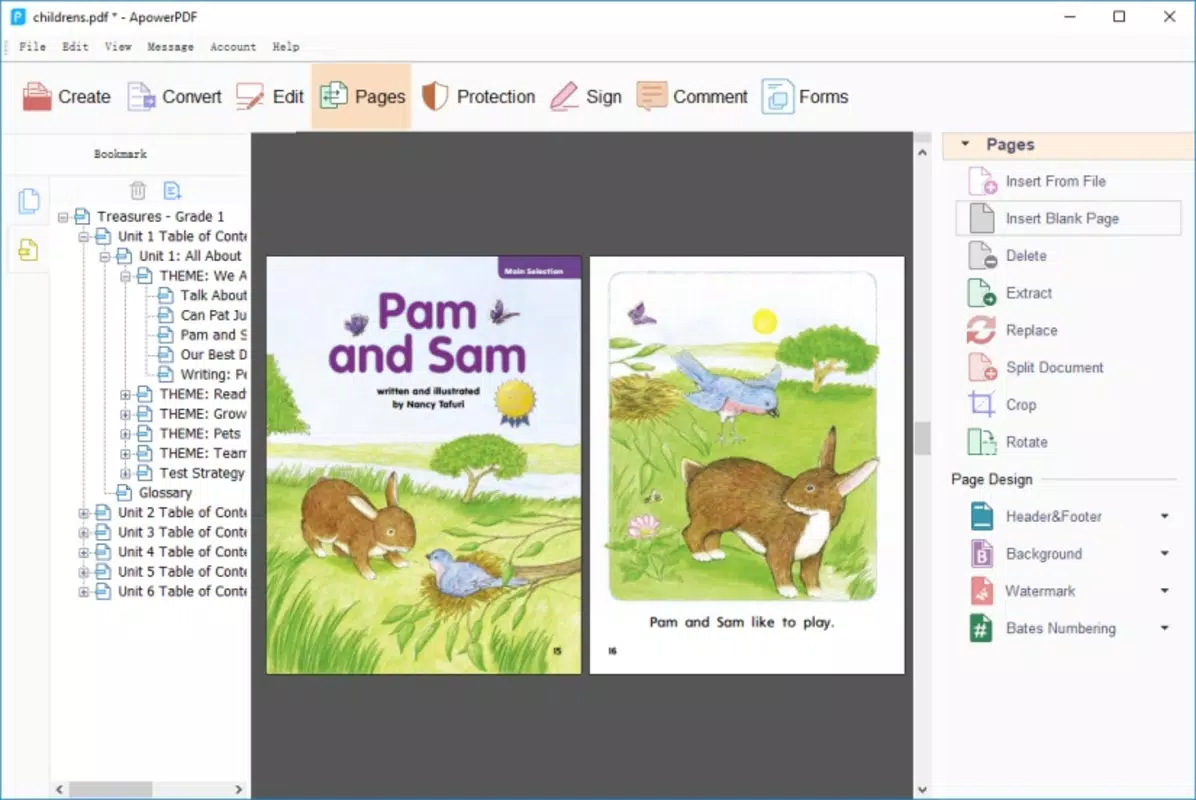
- Comprehensive Editing Options: The application supports format changes, page rearrangement, file merging, and layout adjustments. These tools are essential for users who need to restructure documents or combine multiple sources into a single cohesive file.
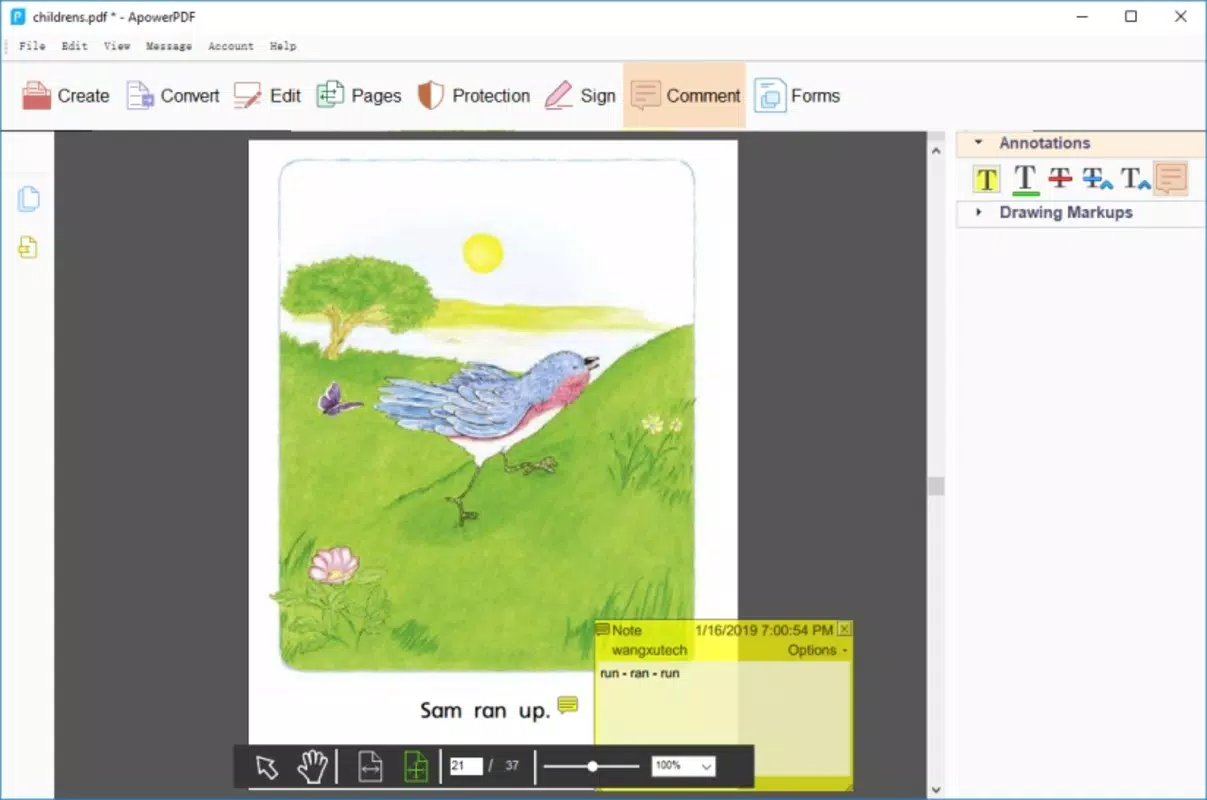
- Interactive Annotation Tools: Users can add comments, highlights, and digital signatures directly within the document. This functionality enhances collaboration, especially when sharing files with colleagues or clients for feedback and approval.
- High-Quality Export Functionality: Edited PDFs are exported without loss of resolution or clarity. This ensures that final documents maintain professional standards, whether used for presentations, legal submissions, or publishing.
- Document Creation from Scratch: The software includes design tools that allow users to build new PDFs from the ground up. This is particularly useful for creating forms, flyers, or customized reports without relying on external design software.
- Intuitive User Interface: The layout is designed for accessibility, enabling both beginners and experienced users to navigate features efficiently. Menus and toolbars are logically organized, reducing the learning curve and increasing productivity.
Each feature is built around real-world use cases. For example, a student might use the merge function to compile lecture notes from multiple sources into one study guide. A business professional could add digital signatures and comments to a contract before sending it for review. These practical applications highlight the software’s adaptability across different environments and user needs.
Interface, UX & Performance
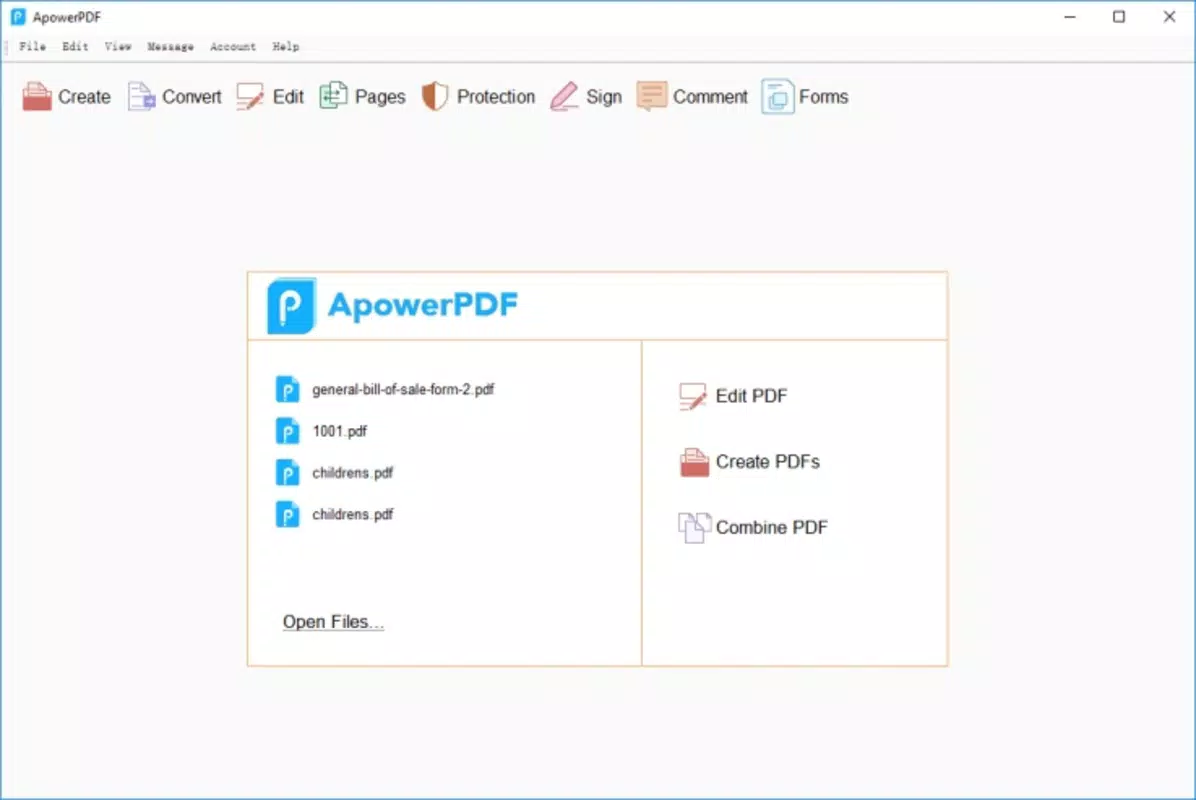
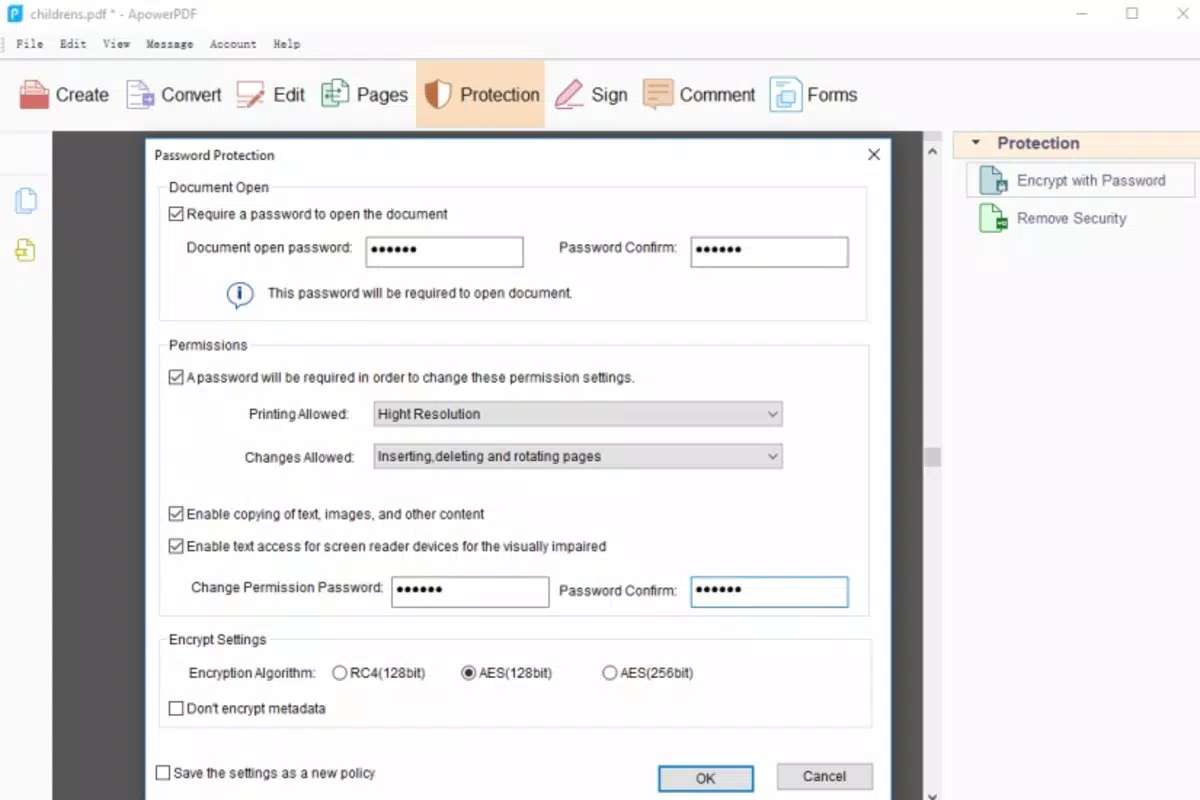
ApowerPDF presents a clean, organized interface that prioritizes functionality without overwhelming the user. The layout is structured with clearly labeled toolbars, accessible menus, and a logical flow between tasks such as import, edit, annotate, and export. Visual cues and consistent iconography support intuitive navigation, reducing the likelihood of user errors during complex operations.
Navigation is streamlined, allowing users to move seamlessly between editing modes and document views. The responsiveness of the interface is evident during actions like page rotation, text selection, and signature insertion. Although the developer did not list formal performance metrics, the application operates smoothly on standard Windows configurations, with minimal lag during routine editing tasks.
Stability is maintained across sessions, with no reported crashes or data corruption during typical usage. The software maintains consistent performance when handling files of moderate size, though large or heavily formatted documents may require more system resources. Overall, the user experience is optimized for efficiency and ease of use, making it accessible to users across varying technical skill levels.
Platform Compatibility & Technical Requirements
ApowerPDF is designed exclusively for the Windows platform, ensuring compatibility with a wide range of Windows-based systems. The application is available in version 1.0.2.2, with a file size of 42.7 MB, making it a lightweight download suitable for most modern PCs. This compact size contributes to faster installation times and reduced disk space usage.
The developer did not specify minimum OS requirements, so users should ensure their system meets standard Windows operating system standards for running productivity software. Compatibility with older Windows versions was not disclosed, so users are advised to check their system specifications before installation. No additional dependencies or third-party software are required for basic functionality.
Pros and Cons
Pros
- Efficient PDF import and immediate editing capability
- Supports a wide range of editing functions including merging, formatting, and annotations
- High-quality output with no loss in clarity during export
- Ability to create new PDFs from scratch using built-in tools
- Intuitive interface suitable for users of all experience levels
- Lightweight installation at 42.7 MB
Cons
- Platform is limited to Windows only
- Specific system requirements were not provided
- Price point of $29.99 may be considered high for casual users
- No information on automatic updates or update frequency
- Developer details beyond the company name were not disclosed
FAQ
Is ApowerPDF safe to download and install?
Yes, ApowerPDF is a legitimate application developed by ApowerSoft. It does not contain malware or unwanted components. Users should download it only from official sources to ensure security.
Can I use ApowerPDF on multiple devices?
Based on the available information, ApowerPDF is designed for Windows and does not support cross-platform use. It is not available on Android, iOS, or other operating systems.
Does ApowerPDF support digital signatures?
Yes, the application includes tools for adding digital signatures to PDF documents, which is useful for legal, business, and official submissions.
How often is ApowerPDF updated?
The developer did not disclose the update schedule. Users are advised to check the official website for the latest version and any available patches.
Is there a free version of ApowerPDF?
ApowerPDF is offered as a paid application with a one-time purchase price of $29.99. No free trial or freemium version was mentioned in the provided details.
Final Thoughts
ApowerPDF stands out as a reliable and feature-rich PDF editing tool for Windows users who need more than basic viewing capabilities. Its combination of editing flexibility, high-quality export, and user-friendly design makes it a strong choice for professionals and individuals alike. While the price may be a consideration for some, the tool’s functionality justifies the investment for frequent users of PDFs in academic, business, or personal contexts.
For those who require a robust PDF utility that simplifies document creation, modification, and sharing, ApowerPDF delivers consistent performance and a streamlined workflow. Its focus on usability and output quality ensures that users can trust the final results. The absence of platform diversity and limited developer transparency are minor drawbacks, but they do not significantly impact the core functionality.
Download ApowerPDF now


